Core features
How to Embed a Speaker Wall on Your Website
Last updated October 2026.
Most event sites display speakers as a grid of headshots, titles and companies. Built by hand, that grid goes stale the moment a speaker swaps or a title changes. ConfBuilder builds the wall from the speaker records you already manage and serves it through one embed.
1. Get speaker profiles approved
Add speakers to the Speaker module, or open intake so they fill in their own bio, headshot and links through their portal. Each speaker moves through simple statuses: pending, submitted, approved. An approved profile is a finished wall tile, photo and all.
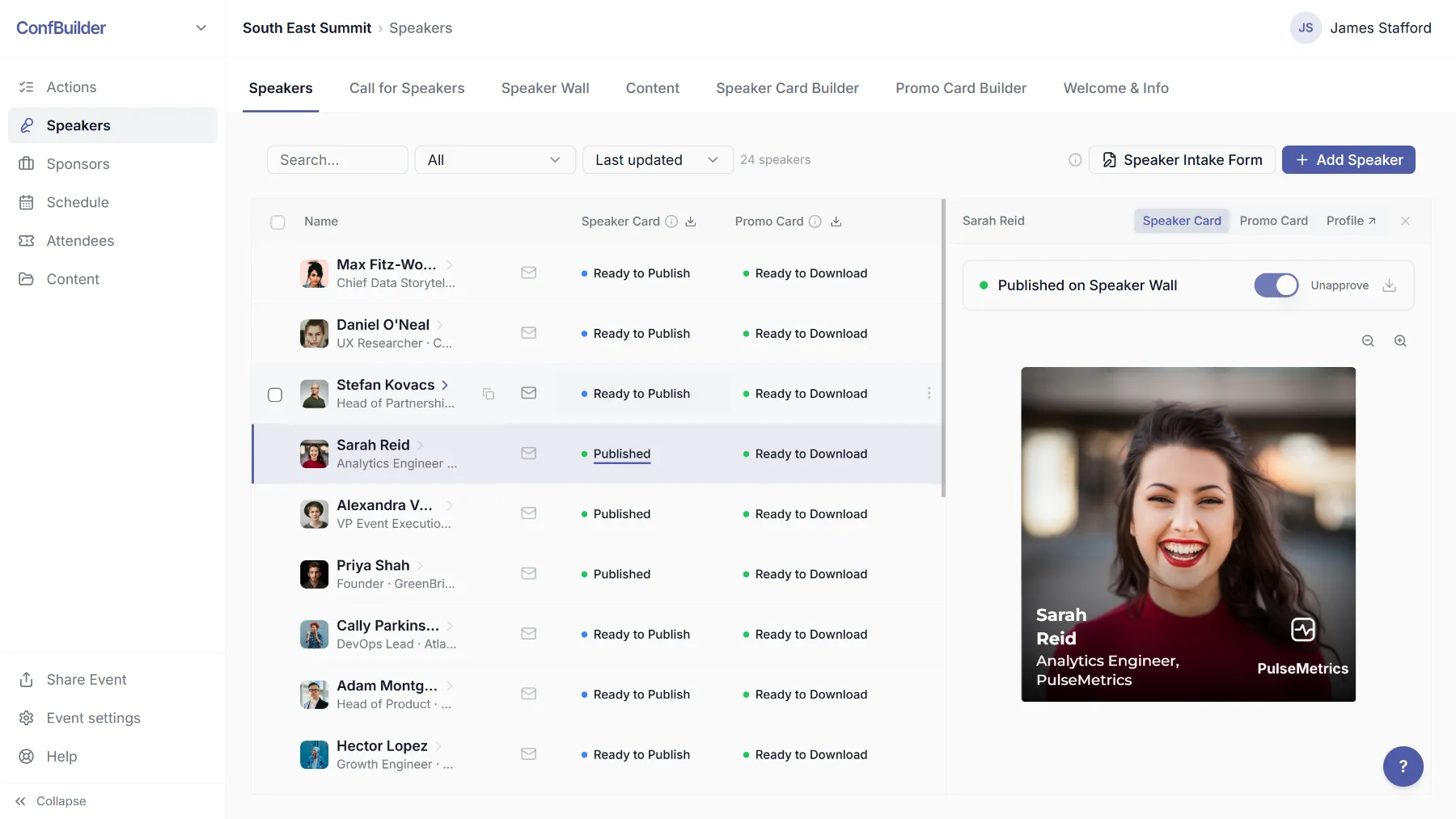
2. Approve their speaker cards
Each speaker also has a Speaker Card: the profile tile design the wall shows. Review them and set the card status to approved in the speaker table. Approved cards are what the wall publishes, so you hold the quality bar before anything goes live.
3. Open the Embed Builder
In the wall settings, the Embed Builder dialog hands you the snippet and the styling controls. Choose the template that fits your site: full-bleed headshot with a text overlay, or a lighter card with a colour logo and neutral text. Set the colours and fonts so the wall looks like part of your site, not a widget bolted on.

4. Paste one snippet into your site
Copy the embed snippet and paste it into your event website on the speakers page. The wall renders live: speakers, ordering, everything current. No plugin, no manual export, no redeploying the site for every change.
5. Never re-embed again
A speaker cancels and a replacement joins. Edit the profile, approve the card, and the wall updates on your website automatically. The embed does not care how many times the wall changes underneath it.
Run this on your next event
Up and running in under 2 minutes. Free 14-day trial, no credit card required.