Core features
How to Make Speaker Promo Cards for Your Conference
Last updated October 2026.
Speaker promo cards are the fastest way to turn your speakers into promoters: a square image in your event's look, the speaker's name and a line that says they are speaking. ConfBuilder builds them from your speaker profiles automatically, so the design work happens once, not once per speaker.
1. Design the template once
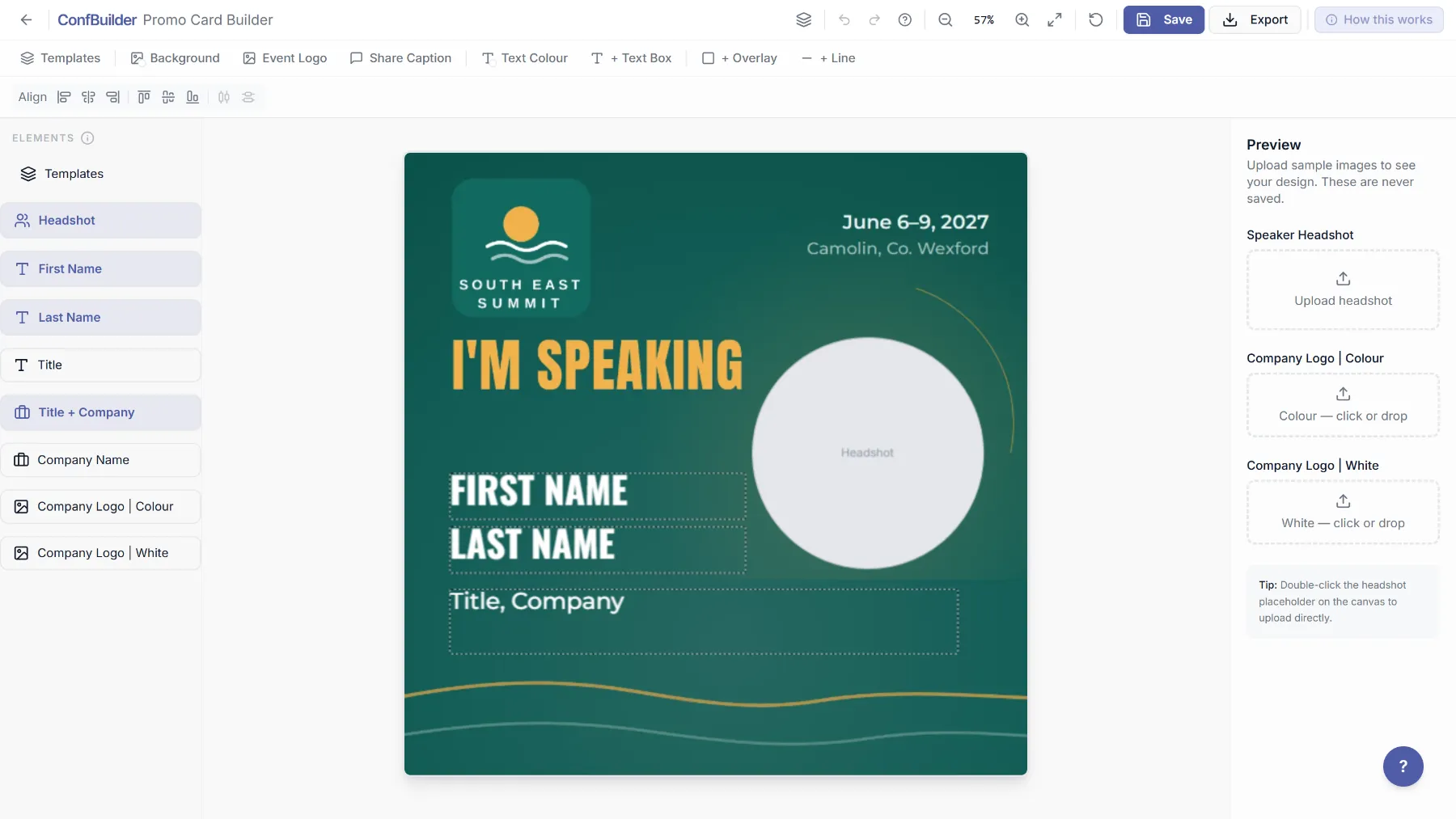
Open the event's Speaker module and click Build Speaker Card. Pick one of the presets or drop in your own designed background image, a 1080 by 1080 PNG. ConfBuilder renders each speaker's details on top of your background, so you set the look one time. Keep background files lean, around 1MB, so card exports stay fast.
2. Place the auto-filling fields
Drop in the fields every card needs: the headshot, first and last name, title and company, and the talk title if you use one. Each field pulls its text from the speaker's profile. Place each element once and it is correct for speaker one and speaker one hundred.
3. Save the template and check the previews
Save the template and every accepted speaker gets a card rendered from it right away. Scroll a few previews and check the extremes: your longest name, a two-company title, a headshot that is slightly off centre. Long names wrap rather than shrink, so a quick scan catches the awkward ones before anyone shares a card.
4. Deliver cards to speakers automatically
When a speaker submits their info, their card lands on their own share page: the card, a ready-written caption that includes their talk title, and one-tap Copy, Download and Share on LinkedIn.
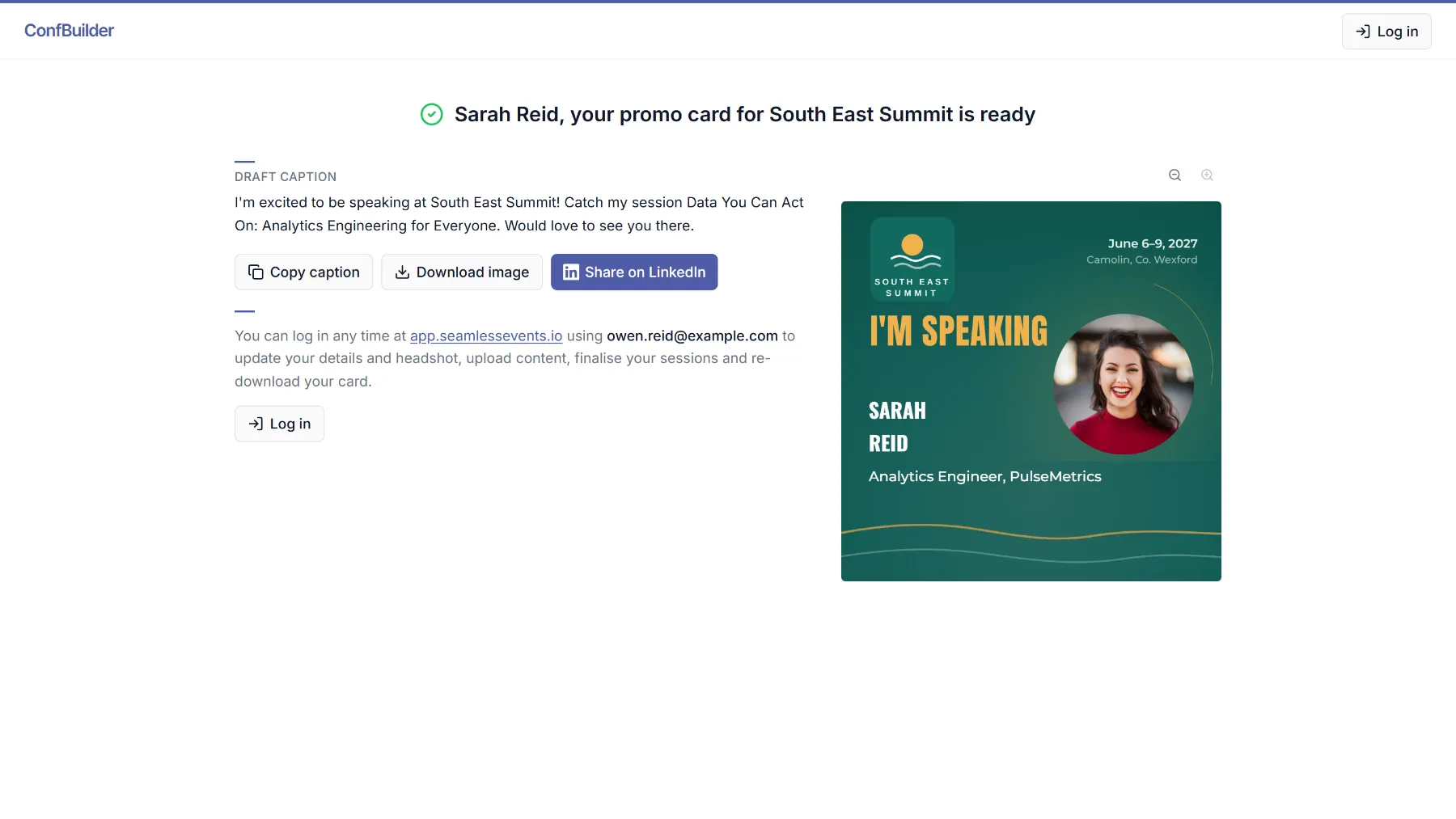
You never email an image or wait on a designer. Speakers share when they want, from the page you gave them.
5. Update once, live everywhere
A title changes the day before the event. Edit the speaker's profile and the card on the share page updates the next time it is used. The same profile feeds the Speaker Wall and the schedule embed, so one edit is one edit everywhere.
Run this on your next event
Up and running in under 2 minutes. Free 14-day trial, no credit card required.