Core features
How to Make Sponsor Promo Cards
Last updated October 2026.
Sponsors pay for exposure and get a logo on a slide. A shareable promo card gives them something they will actually post, and ConfBuilder produces one for every sponsor from a single template.
1. Start from a template or your own background
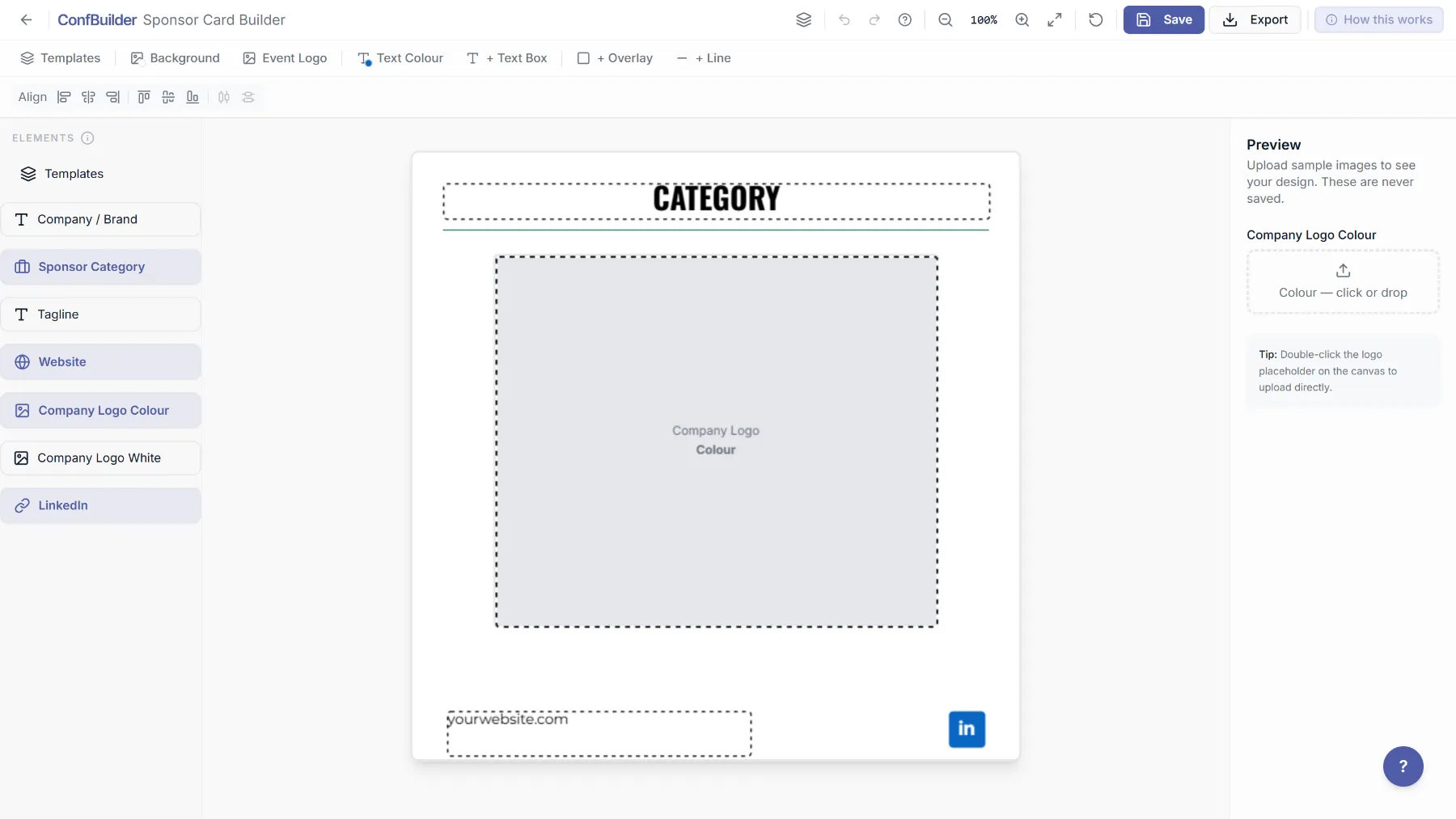
Open the Sponsor Card Builder and pick a preset or drop in your own background, a 1080 by 1080 PNG. A slogan like "PROUD PARTNER" works for every tier, from headline partner to community partner, so one background covers the whole programme.
2. Add the auto-filling fields
Place the logo dropzone, the company name, the sponsor category and the website URL. Every field pulls from the sponsor's record, including the logo you already collected in colour or white.

3. Save the template
Save it and every sponsor gets a card, each with their own logo and tier. Check the set as one line of previews: the same layout with twenty different partners instantly shows which logos need tidier crops.
4. Hand each sponsor their card
Each sponsor gets a share page with their card, a caption and one-tap copy, download and share. They post when they want, with the image you designed, branded their side and yours. No format debates, no email threads with attachments.
5. Publish them on the wall too
Approved sponsors also appear on the Sponsor Wall embed on your website, colour logos on clean tiles. The same records feed the wall and the cards, so the website and the socials never disagree about who your partners are.
Run this on your next event
Up and running in under 2 minutes. Free 14-day trial, no credit card required.