AI & MCP
How to Make a Speaker Gallery for LinkedIn, Newsletters and Posters
Last updated October 2026.
"Meet our speakers" posts perform because they show the lineup, not a list. Making one by hand means compositing twenty squares in a design tool every time the lineup moves. ConfBuilder builds the gallery from your speaker records, so the grid regenerates instead of being redesigned.
1. Open the gallery builder
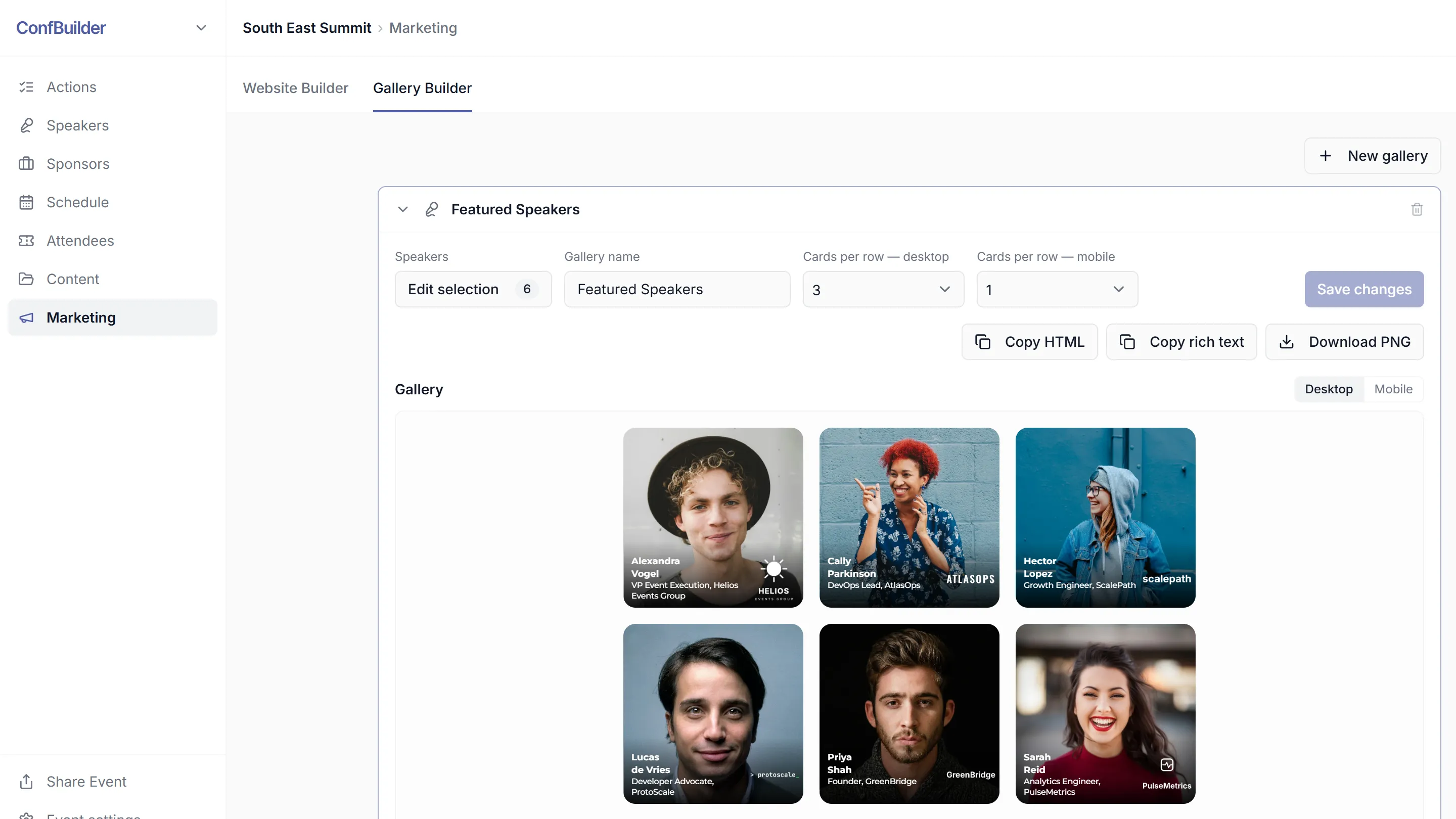
In the event's Marketing module, open the Gallery Builder. It works from your speaker cards, the same approved records that feed the Speaker Wall on your website.
2. Pick the speakers
Select the speakers to include, in the order you want them shown. Headliners first, alphabetical, or any order that tells the story of the programme.
3. Choose the grid
Set how the cards flow: the number of columns on desktop, on mobile, and the cards-per-row layout for the exported image. A 4 by 2 grid reads as a graphic; a tall column works in an email.
4. Export the PNG
Download the gallery as a single PNG with every card rendered at full quality. The export stays sharp because it renders from the source cards, not from a screenshot.
5. Post it everywhere
Drop the image wherever the lineup needs showing: the opening LinkedIn post, the monthly newsletter, the sponsor-facing one-pager, the venue's printed poster. It is one asset with current faces, because the grid draws from the records.
6. Rebuild when the lineup changes
A new speaker joins. Rerun the export with the updated selection: one click, current again. Your announcement posts, printed material and website all share the same truth.
Run this on your next event
Up and running in under 2 minutes. Free 14-day trial, no credit card required.