Core features
How to Sync Attendees from Tito and Publish an Attendee Wall
Last updated October 2026.
Registration holds the data the rest of your event needs: names, titles, companies, headshots. ConfBuilder's attendee module syncs with Tito, so ticket orders become attendee records the platform can publish and promote with, without a CSV in sight.
1. Connect Tito
In the Attendee module, connect your Tito account and pick the event. The sync pulls orders, attendees and the answers to your registration questions, and keeps pulling as new orders land. Files, such as headshots submitted at registration, come with the records.
2. Review the attendee list
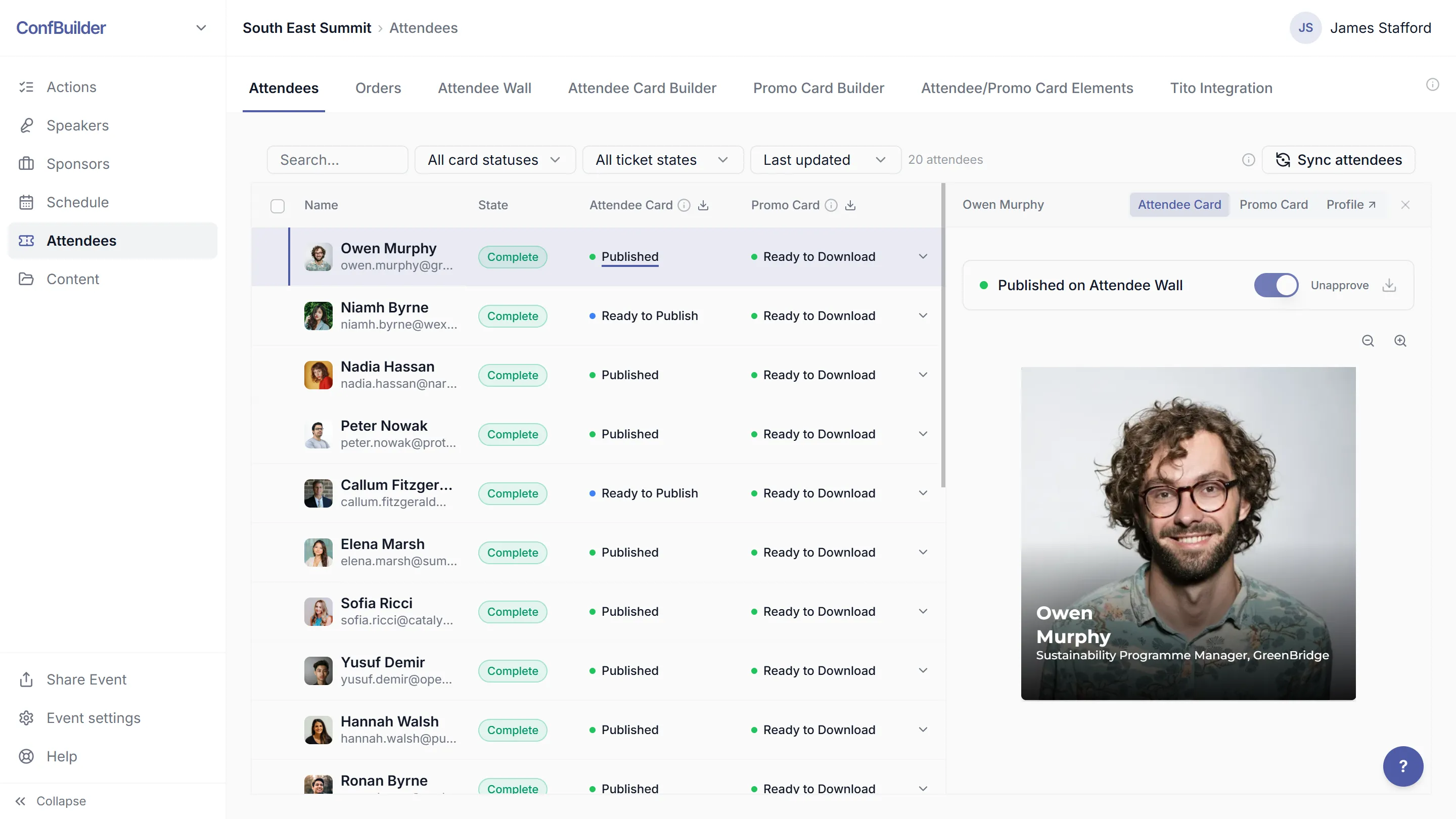
The attendee list is your working view: names, titles, companies, ticket states, check-in status. Edit anything that arrived messy from registration before it goes public.
3. Publish the attendee wall
Configure the wall: which attendees appear, how cards look, what text shows. Publish and embed it on your event website like the other walls. New attendees appear as their orders come in, with no re-embedding.

4. Let attendees claim their promo card
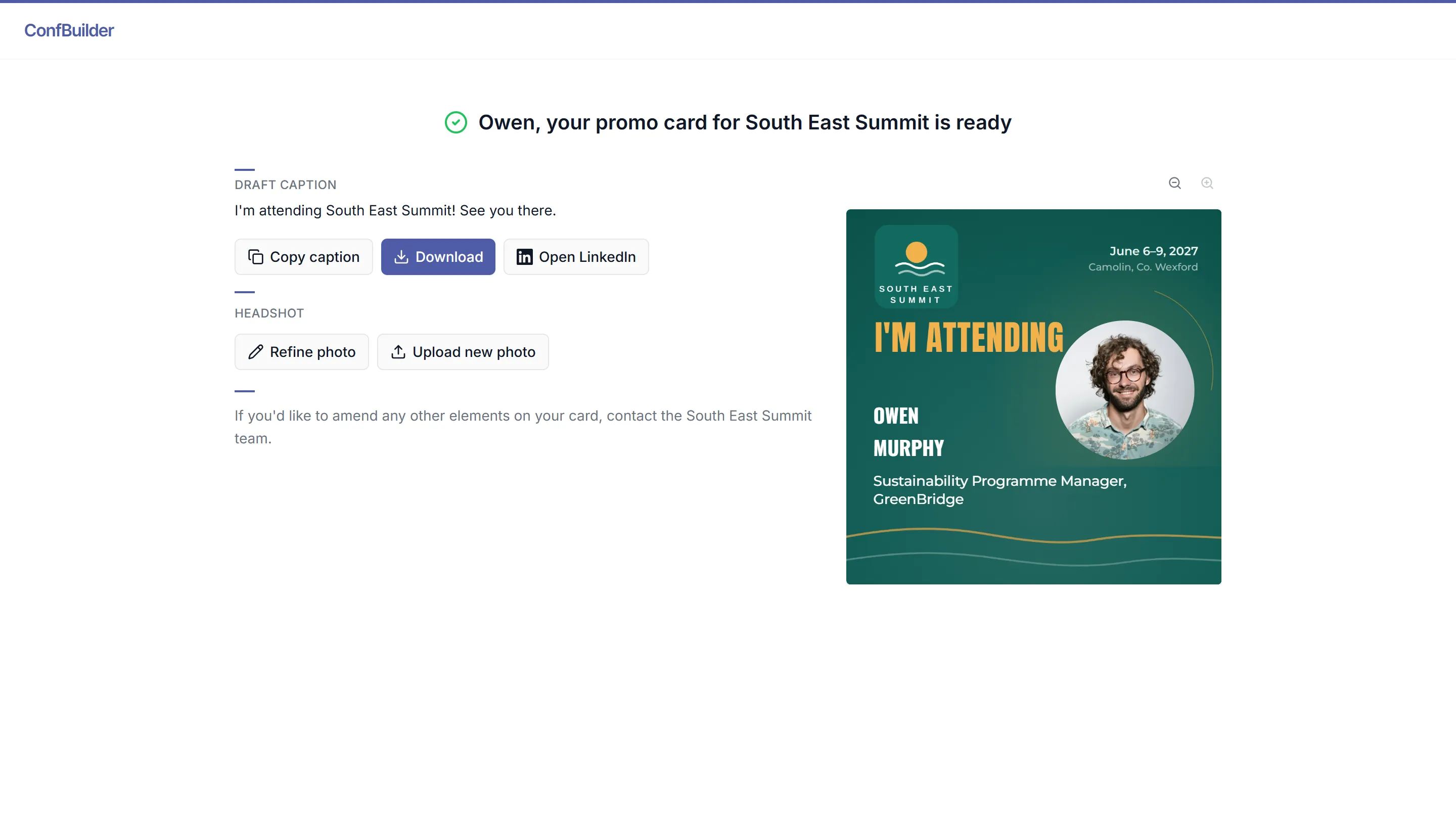
Every attendee gets a self-serve promo card page: their "I'm attending" card with photo and title, plus a caption they can copy, download or share straight to their networks.
Your registration list becomes your marketing reach the day tickets sell.
5. Use the same list at the door
At the event, the attendee list is the check-in list. Check people in as they arrive and the count stays honest all day.
Run this on your next event
Up and running in under 2 minutes. Free 14-day trial, no credit card required.