Core features
How to Organise Conference Slide Decks
Last updated October 2026.
By event week, decks arrive from every direction: email, a shared drive, a USB stick at the info desk. ConfBuilder's Content Library turns that pile into one organised, versioned, session-linked collection.
1. Let owners upload
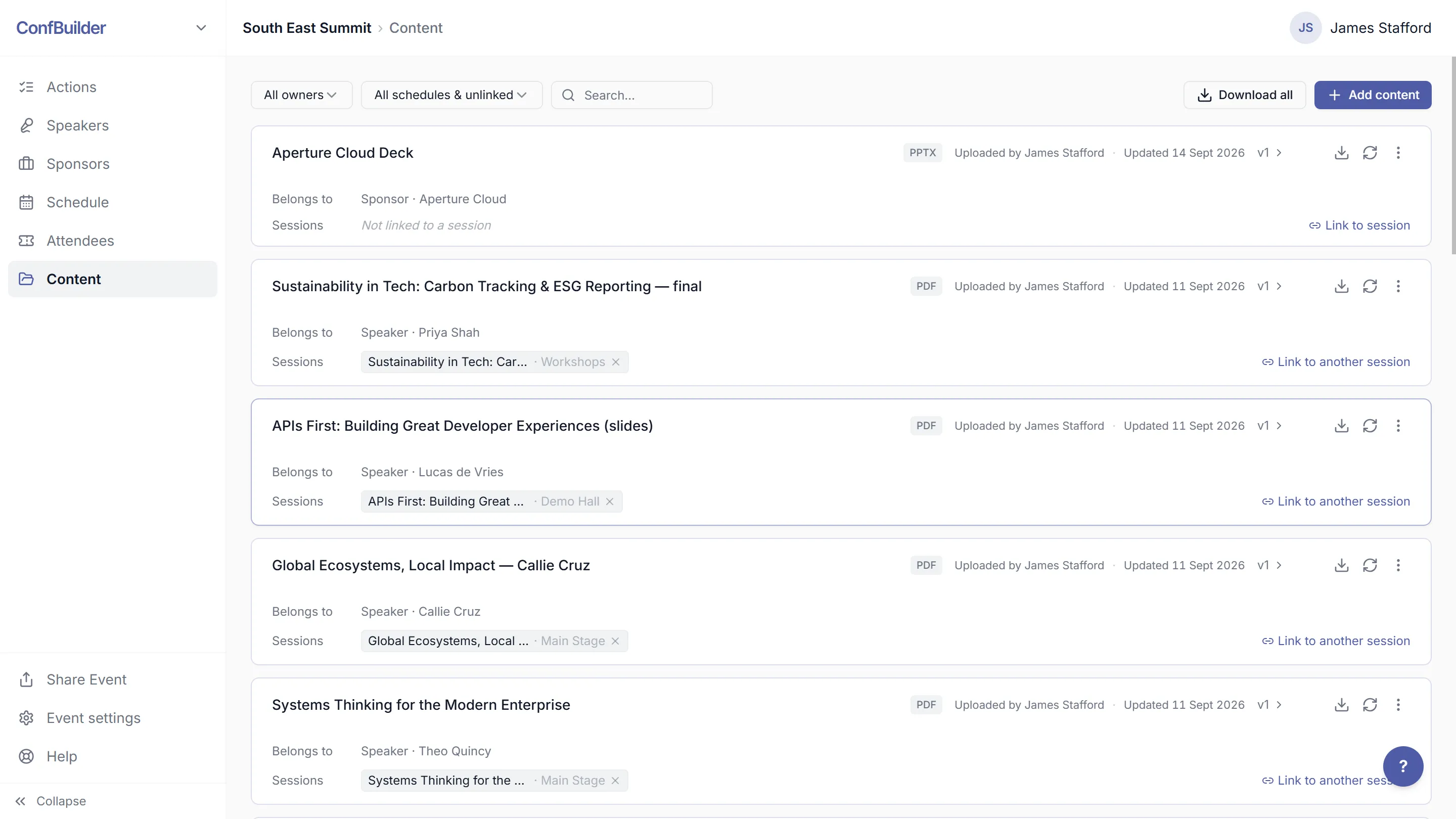
Speakers and sponsors upload through their own portals, so the person who owns the file does the filing. Your team uploads anything that arrives by email using the shared dashboard. Everyone's files land in the same library, with owners attached.
2. Link files to sessions
Attach each deck to its session in the schedule. The link is live: open a session in the app or the schedule and its content is there, which is what your stage manager needs at the podium.
3. Keep the versions
Content versioning is automatic: every upload is kept, not overwritten. When a speaker sends "final_v3", the earlier versions are history, not holes. Nothing is lost and nothing silently changes.
4. Gate the library properly
The Content Library shows people what they should see: speakers their own files, your team everything. Access follows the roles you set per event, so a sponsor never scrolls your other clients' material.
5. Use it after the event
The library is the archive: decks, sponsor docs and images stay with their owners. Next year's team inherits an ordered record instead of a dead shared drive, and the same files power galleries and walls for the next edition.
Run this on your next event
Up and running in under 2 minutes. Free 14-day trial, no credit card required.